Zero-API Integration: Chrome Extension RPA
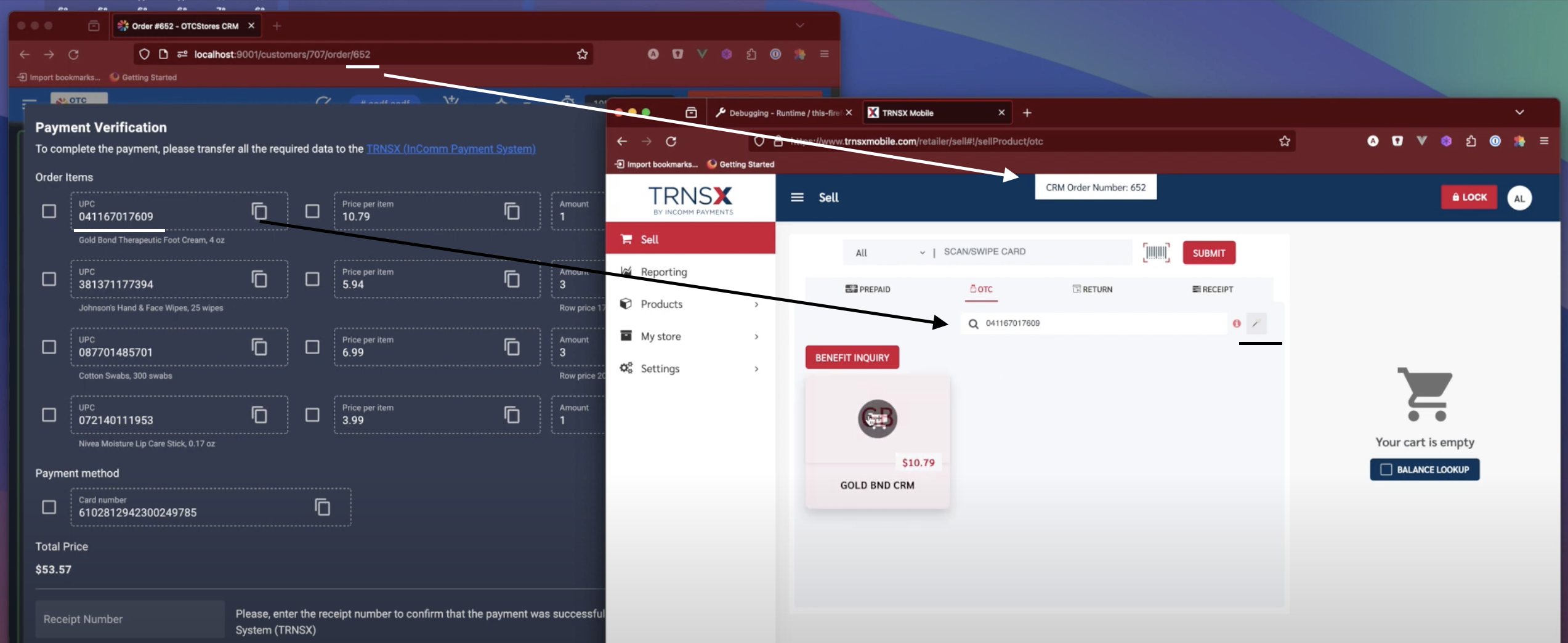
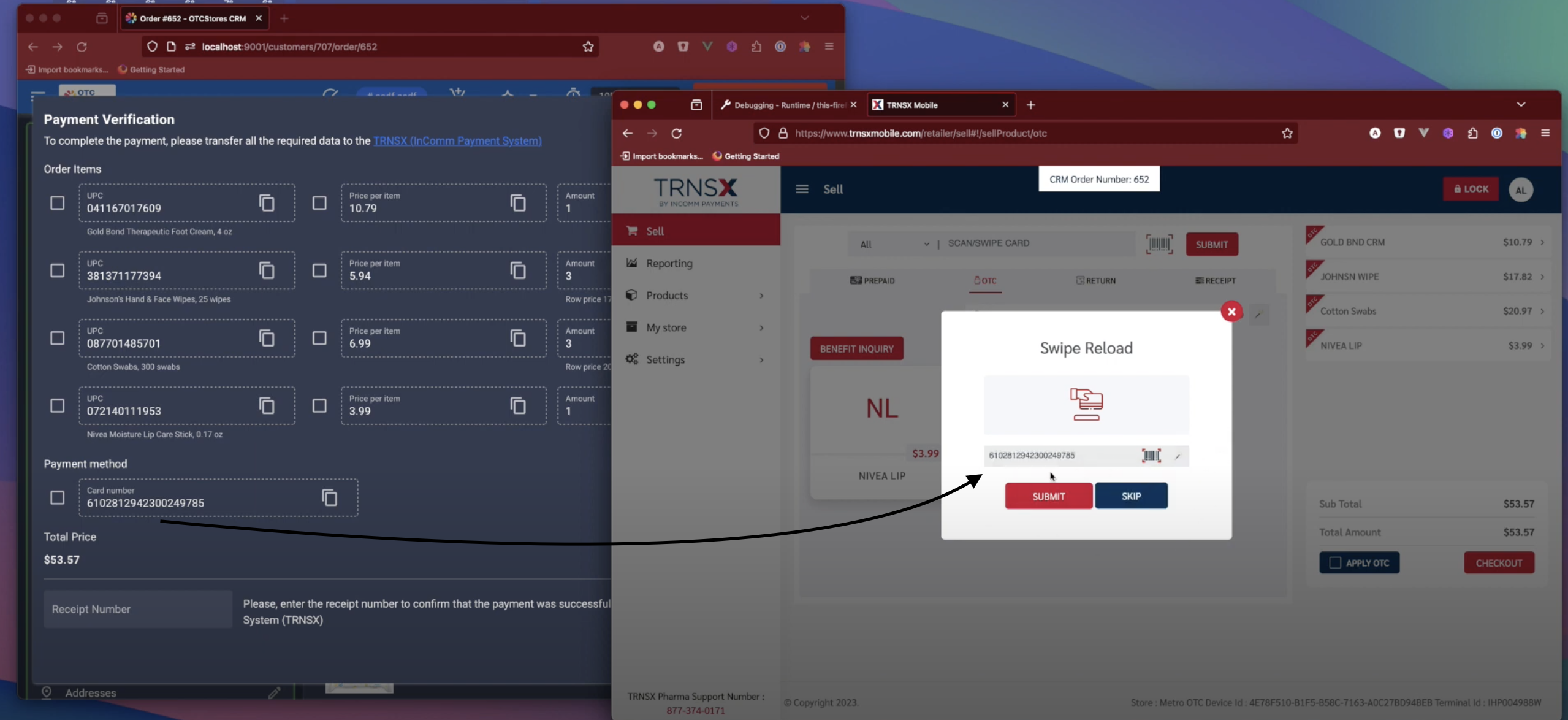
The Concept: The "Synthetic" API When a third-party vendor lacks an API, business stops. We don't accept that. We engineer "Zero-API" integrations using Browser Extensions, turning the browser into a programmable interface that automates manual workflows with machine precision.
The Challenge: The Manual Bottleneck
The client operated a high-velocity modern CRM, but the final step of the sales process—submitting claims to the Insurance Provider—depended on a legacy portal with no API access. The Consequence:
- Human Middleware: Staff had to manually copy-paste hundreds of data points (Patient Name, Policy ID, SKUs) from one screen to another.
- Critical Errors: A single typo in a policy number could lead to a rejected claim.
- Scalability Ceiling: The team could physically only process limited orders per hour due to typing speed.
🛠 The Solution: Browser-Based RPA
Since we couldn't connect via the server, I engineered a client-side robot (Chrome Extension) to bridge the gap.
1. The "Magic Button" (DOM Injection)
I developed a Quasar/Vue 3 extension that injects itself into the legacy portal's interface .
- Context Awareness: The extension detects which order is open in the CRM and "carries" that context to the insurance portal.
- Auto-Fill Engine: With a single click, it parses the legacy HTML forms and populates them with validated data from the CRM. It handles complex dynamic fields that standard autofill tools cannot touch.
2. Client-Side Security Tunnel
Handling insurance data requires strict security.
- No Server Relay: Crucially, I architected this to work entirely within the user's browser memory.
- Tab-to-Tab Communication: Data flows directly from the CRM tab to the Insurance tab. Sensitive information never leaves the local machine, ensuring compliance.
🚀 Business Outcomes
We effectively "hacked" an integration where none existed:
- 10x Velocity: Transaction processing time dropped from minutes of typing to seconds of verification.
- Zero Typos: Human entry error was eliminated. If the data is correct in the CRM, it is correct in the portal.
- Staff Satisfaction: Removed the most tedious, repetitive part of the workflow.